



Statistics Report (Excel) & Monitoring

Statistics Report (Excel)

Monthly Excel reports can get manually downloaded, or
automatically created and send by mail with the help of the Job Scheduler.

Screenshot of the Outlook AddIn:

Report EN

No Slide Found In Slider.

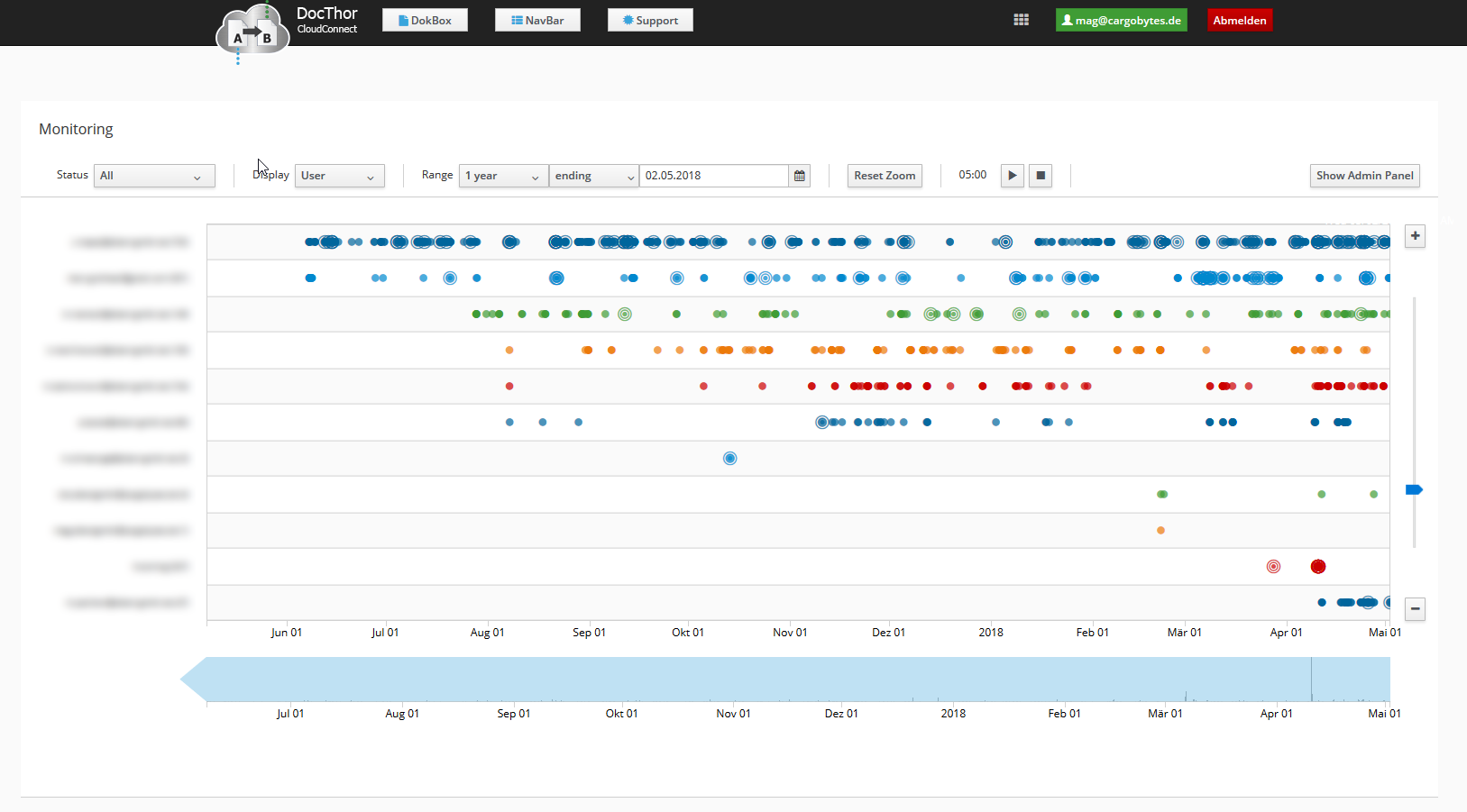
Monitoring

With Monitoring you get an timeline overwiew with definable range of the company documents,
their status and other belonging informations.

Screenshot of the Monitoring:


  Back to Overview

Group management & Document assignment

Group management & Document assignment

DocThor CloudConnect has an intelligent group management.
You can define user groups for specific purposes e.g. responsibility for documents.
You can assign specific documents or document types to predefined user groups.
Every user can set his/her account in “Time Off” mode.

Use case with full automation(Job Scheduler) of documents picked up from a mailbox:

  • Documents will get imported and automatically processed by the Job Scheduler by a defined schedule.
  • The Job Scheduler will assign documents only to users in the specified group that are available.
  • The document will get put into the users mailbox.
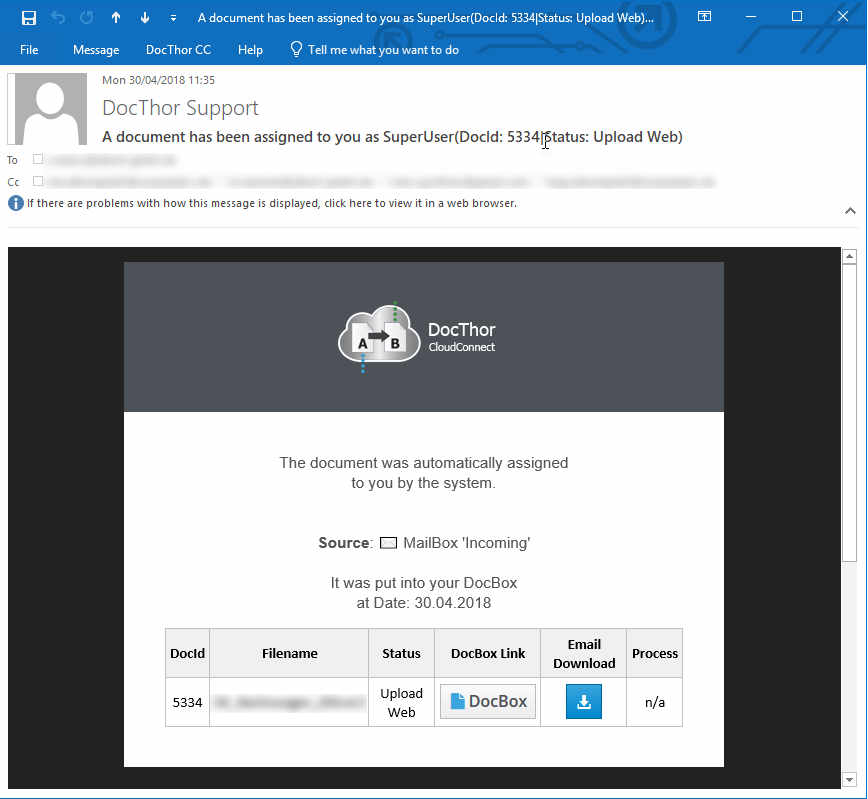
  • The responsible user will receive an info mail that a document was ‘Completed’ or that they have to take action on that document.

Example of Assign Email:

  Back to Overview

Server Jobs with Job Scheduler

Job Scheduler

The Job Scheduler can run tasks by a defined (recurring) schedule.

Examples:

  • Import emails and belonging attachments automatically from mailboxes and process them
  • Import files automatically from ftp-Server and process them
  • On first day of month send report to recipients

Screenshots:

Job Scheduler EN

No Slide Found In Slider.

  Back to Overview

Full automation – Data and document import and handling

Full automation – Data and document import and handling

By using

you get a complete automated data and document integration system.

Users are involved but will only get informed in case of problems, with a direct link to the problem.
Therefore the users can solve the problems themselves, and no other support department needs to get involved.

  Back to Overview

Workflow Web Application

You upload the files to the cloud and we convert them to your desired format.

The data is checked for correctness, adapted to the data you need and sent to your EDI-Interface.

It is possible to import almost all formats, including:

  • Microsoft Excel
  • Microsoft Word
  • Emailbody-Text
  • Rich-Text-Format (rtf)
  • Comma separated Files (csv)
  • Extensible Markup Language (xml)
  • UN-EDIFACT
  • Adobe PDF
  • and many more…

Workflow Screen Recording ( with audio – Length: 01:48 min ):

video
play-sharp-fill

Back to Overview

Workflow Outlook Integration

Workflow Outlook Integration

You can process your files directly from Outlook with DocThor.

The data is checked for correctness, adapted to the data you need and sent to your interface.

It is possible to handle almost all formats, including:

  • Microsoft Excel (xlsx | xls | xlsm)
  • Microsoft Word (docx | doc)
  • Emailbody-Text
  • Rich-Text-Format (rtf)
  • Comma separated files (csv)
  • Extensible Markup Language (xml)
  • JavaScript Objekt Notation (json)
  • EDI.
  • UN-EDIFACT
  • Adobe PDF (pdf)
  • HTML (htm | html)
  • Picture-Files (jpg | jpeg | tif | tiff | png | bmp)

Outlook WorkFlow Screenrecording ( with audio ):

Show subtitles

video
play-sharp-fill

Back to Overview

Document Integration

DocThor CloundConnect is specialized on importing many different non standardized documents, that
where created for human reading.